Blog

  • How to Hide or Show Out-of-Stock Products in WooCommerce (Per-Product Control)

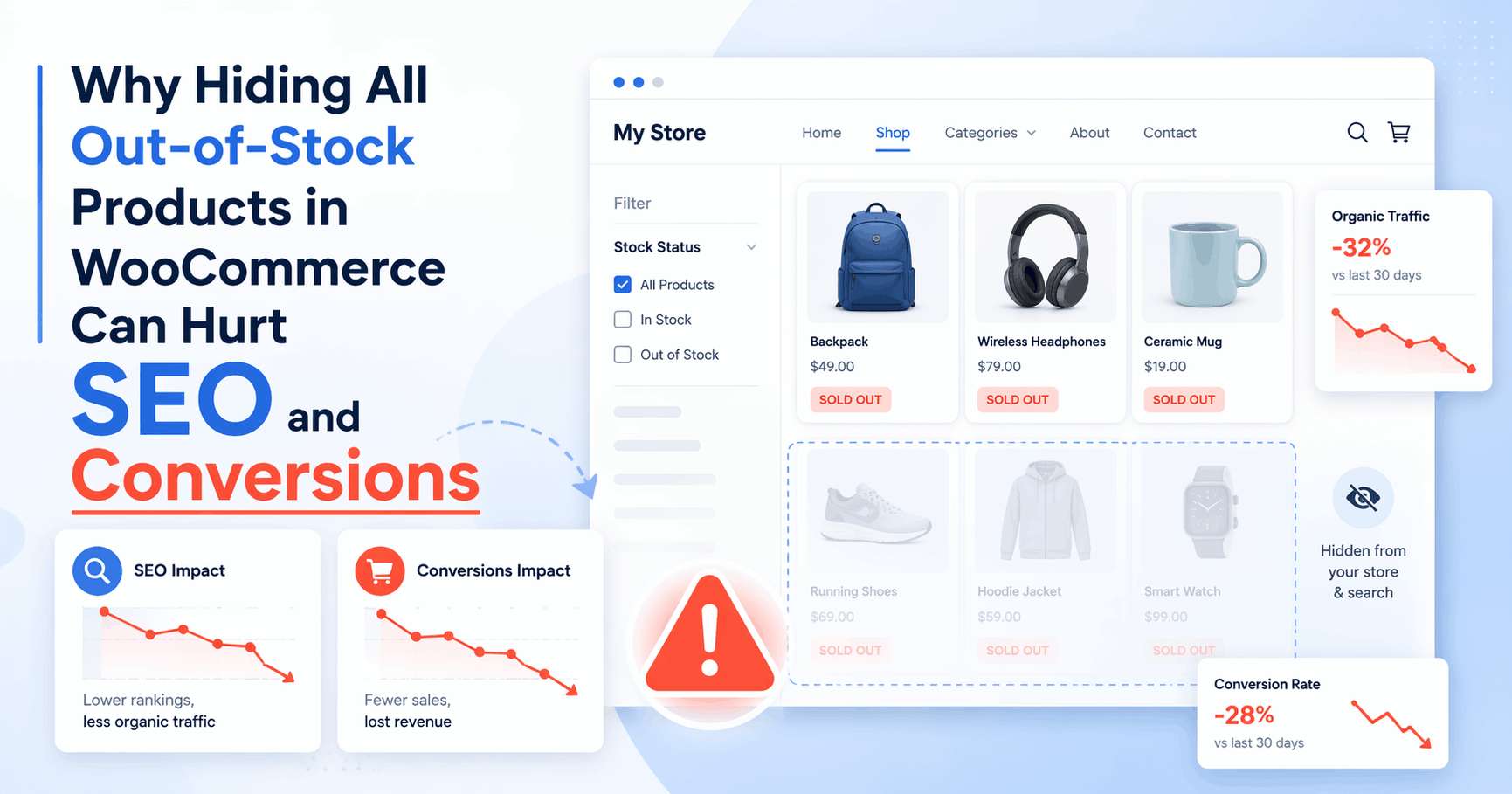
    Many WooCommerce store owners want to hide out-of-stock products in WooCommerce while still being able to show specific out-of-stock items when needed.

    Unfortunately, WooCommerce only provides a global hide out-of-stock setting. Once enabled, all out-of-stock products disappear from the shop and search results — with no way to control visibility per product.

    If you’ve ever wished you could choose which out-of-stock products stay visible and which ones don’t, you’re not alone.

    This article explains:

    • Why WooCommerce’s default behavior is limiting
    • When hiding out-of-stock products actually hurts your store
    • How to manage out-of-stock product visibility in WooCommerce per product

    The problem with WooCommerce’s “Hide out-of-stock items” setting

    WooCommerce gives you a single checkbox:

    Hide out-of-stock items from the catalog


    When enabled, this setting:

    • Hides all out-of-stock products from shop pages
    • Removes them from search results
    • Applies globally across the entire store

    There is no per-product option.


    Common problems store owners run into

    ❌ Important products disappear completely

    Some products go out of stock temporarily:

    • Seasonal items
    • Popular bestsellers
    • Products awaiting restock

    When these products vanish from the catalog, customers may think:

    • The product was discontinued
    • The store no longer carries it
    • They should buy elsewhere

    ❌ Customers can’t find products they already know

    If a customer searches for a product name and it’s out of stock:

    • It won’t appear in WooCommerce search
    • It won’t appear in category listings
    • It becomes difficult to reach, even if the product page still exists

    This is a visibility problem, not a stock problem.


    ❌ No clean workaround without custom code

    To work around this limitation, many store owners try:

    • Custom PHP snippets
    • Theme modifications
    • Manually changing product visibility every time stock changes

    These approaches are:

    • Hard to manage as the catalog grows
    • Time-consuming
    • Error-prone

    When showing out-of-stock products actually makes sense

    Hiding everything may look tidy, but there are many cases where showing an out-of-stock product is the better choice:

    • Customers want to bookmark or inquire
    • Products are restocked frequently
    • You want to keep SEO value from existing product pages
    • You want to display alternatives or related products
    • You prefer transparency instead of removing items completely

    The real issue isn’t hiding out-of-stock products —
    it’s not being able to choose which ones stay visible.


    Can WooCommerce hide out-of-stock products per product?

    By default, WooCommerce cannot hide or show out-of-stock products per product.

    The global setting applies to all products equally.
    There is no built-in way to control:

    • Which out-of-stock products appear in shop pages
    • Which appear in search results
    • Which remain completely hidden

    This limitation is why many store owners search for a WooCommerce out-of-stock visibility solution.


    A focused solution: per-product visibility for out-of-stock items

    To solve this specific gap, I built a small utility plugin called:

    Hide or Show Out-of-Stock Products for WooCommerce

    The idea is simple:

    Disable WooCommerce’s global “hide out-of-stock”—
    Control the per-product visibility for exceptions.


    What the plugin does

    Forces WooCommerce’s global “Hide out of stock items” setting off so per-product control applies.

    It allows you to:

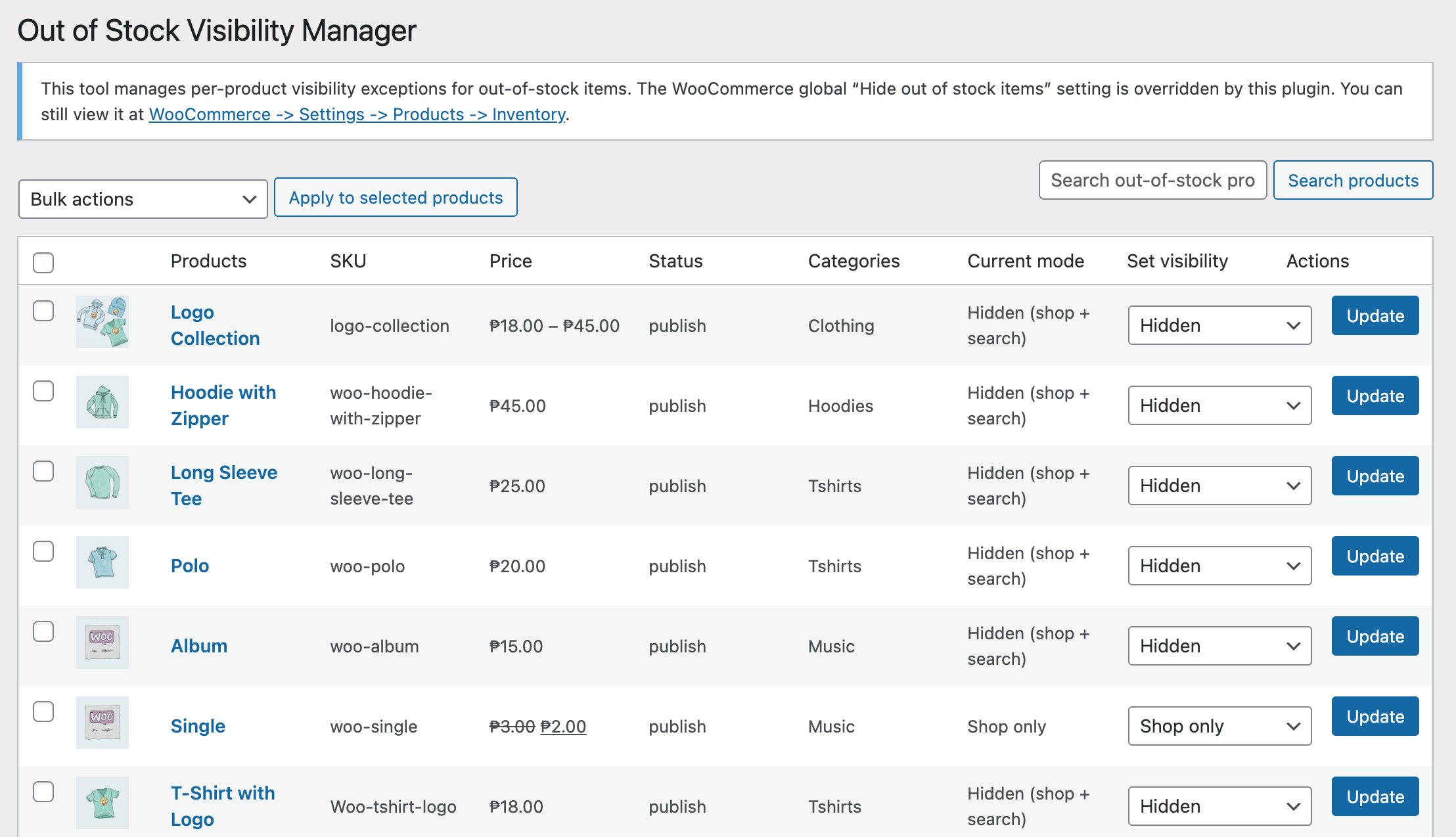
    • Control out-of-stock product visibility per product
    • Choose whether an out-of-stock item appears in:
      • Shop and search results
      • Shop only
      • Search only
      • Nowhere (fully hidden)
    • Bulk manage out-of-stock products from one admin screen
    • Use WooCommerce’s native product visibility system

    There are:

    • No custom product types
    • No performance overhead
    • No changes to how stock management works

    Who this plugin is for

    This plugin is useful if you:

    • Want per-product control without writing code
    • Manage products that frequently go out of stock
    • Care about both user experience and SEO

    It is not designed to:

    • Replace inventory management
    • Add waitlists or backorders
    • Modify stock calculation logic

    Its purpose is focused: visibility control only.


    Why this approach works better

    • Disables the global hide setting so out-of-stock control is intentional and centralized
    • Still relies on WooCommerce’s built-in product_visibility terms (no hacks)
    • Keeps behavior predictable and easy to revert or adjust per product

    You stay in control of:

    • Which out-of-stock products remain visible
    • Which are hidden from the catalog and search

    Download the plugin

    The plugin is available for free on WordPress.org:

    👉 Download: Hide or Show Out-of-Stock Products for WooCommerce
    https://wordpress.org/plugins/out-of-stock-display-manager-for-woocommerce/

    If you’ve been looking for a way to hide or show out-of-stock products in WooCommerce per product, this plugin was built specifically for that purpose.


    Final thoughts

    WooCommerce is flexible, but some limitations only become obvious in real stores.

    Per-product out-of-stock visibility is one of those gaps.

    If this article helped you understand the limitation — or saved you from writing custom code — then the solution has already done its job.

  • My Learning Journey: Understanding std and Why Standardizing Data Matters in AI

    Today, I dove into something that’s surprisingly important in the world of data science and machine learning — the standard deviation, often written as std, and its crucial role in standardizing data.

    As someone transitioning into AI and data work from a strong background in full-stack development (especially PHP, Laravel, and WordPress), I always believed numbers were just… numbers. But this journey taught me otherwise.

    What is std?

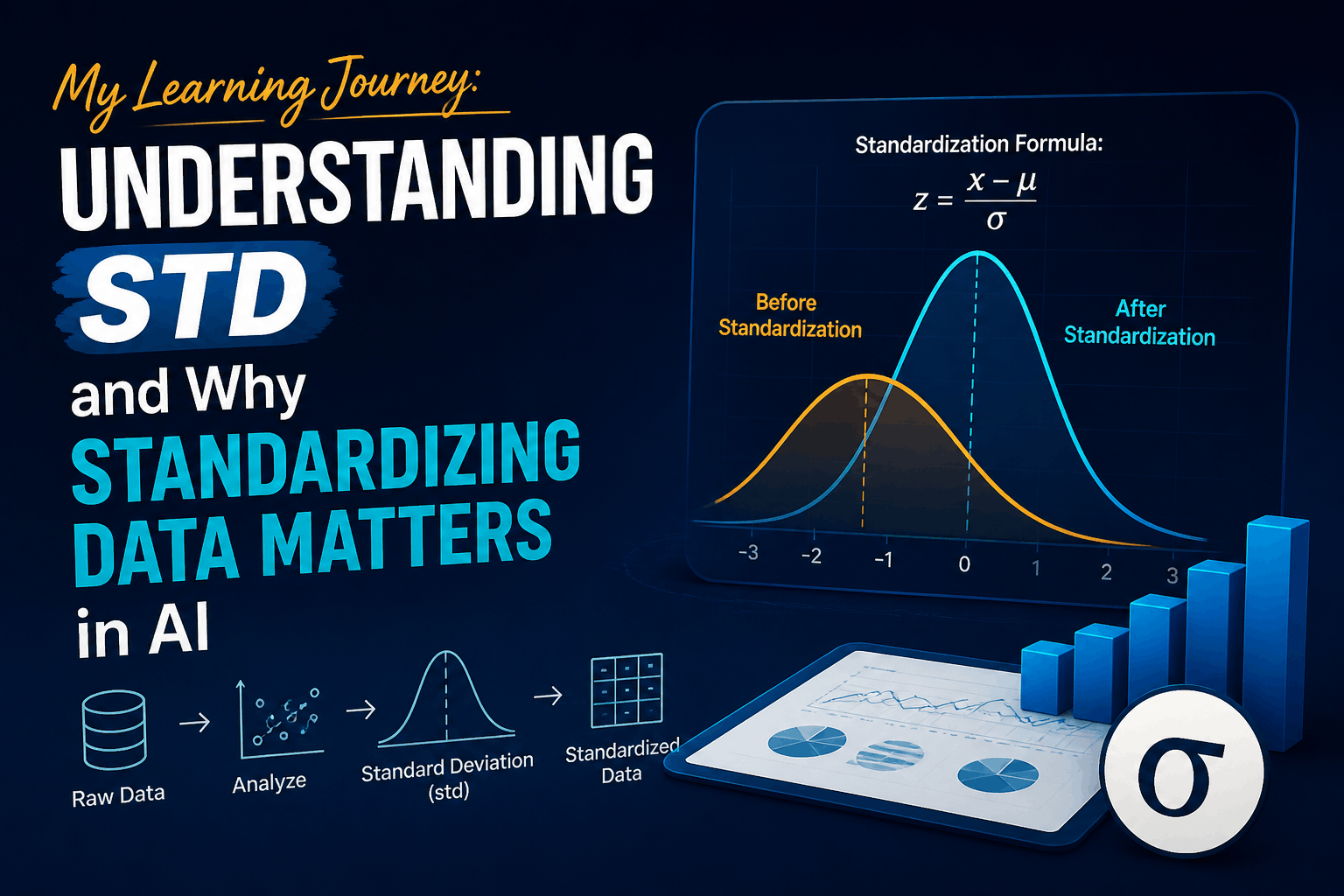
    In basic terms, std (standard deviation) measures how spread out the values in a dataset are. A low standard deviation means the values are close to the mean (average), while a high standard deviation means the values are more spread out.

    Let’s take an example:

    import numpy as np
    
    ages = [25, 30, 35, 40, 45]
    mean_age = np.mean(ages)   # 35
    std_age = np.std(ages)     # ~7.9
    

    Here, the standard deviation of the ages is around 7.9. This tells us that, on average, each age is about 7.9 years away from the mean (35).

    Why Should We Standardize Data?

    Now, here’s where it gets interesting. In machine learning, we often deal with multiple features (like age, salary, height, etc.). Each of these might be on completely different scales. For example:

    • Age: 25 to 70
    • Salary: 30,000 to 200,000

    Without standardization, the model might treat “Salary” as more important just because it has bigger numbers — even if it’s not more predictive.

    Standardization Formula:

    This process rescales your data so that each feature has a mean of 0 and a standard deviation of 1. Here’s a simple example in Python:

    ages = [25, 30, 35, 40, 45]
    mean = np.mean(ages)
    std = np.std(ages)
    
    standardized_ages = [(x - mean) / std for x in ages]
    print(standardized_ages)
    

    What Did I Learn?

    Equal Weighting of Features
    After standardization, different features are brought to the same scale. This helps machine learning models treat them fairly.

    Easier Model Training
    Some models, especially those based on distance (like KNN or SVM), perform much better with standardized data.

    No Need to Do It Manually
    While I learned how to manually calculate std, in real-world scenarios, we’ll mostly use libraries like scikit-learn‘s StandardScaler for this:

    from sklearn.preprocessing import StandardScaler
    
    scaler = StandardScaler()
    data = [[25], [30], [35], [40], [45]]
    standardized = scaler.fit_transform(data)
    print(standardized)
    

    Final Thoughts

    Understanding std and data standardization might seem like a small thing, but it opened my eyes to how data influences model behavior. It’s not just about feeding numbers to a model — it’s about making sure those numbers mean something.

    This lesson taught me that in AI, even the basic statistics matter a lot. And now, when I see a model giving weird results, I’ll know to check whether my data has been standardized properly.

    This is just one step, but it’s a solid one on my journey into the world of AI and data science.

  • Diving Deeper into Data: My Hands-On Day with Python and Seaborn

    Today was one of those days where everything just clicked a little more. I’m still new to the world of AI and data science, but every session brings a new layer of understanding—and today was all about digging into datasets and making sense of them visually.

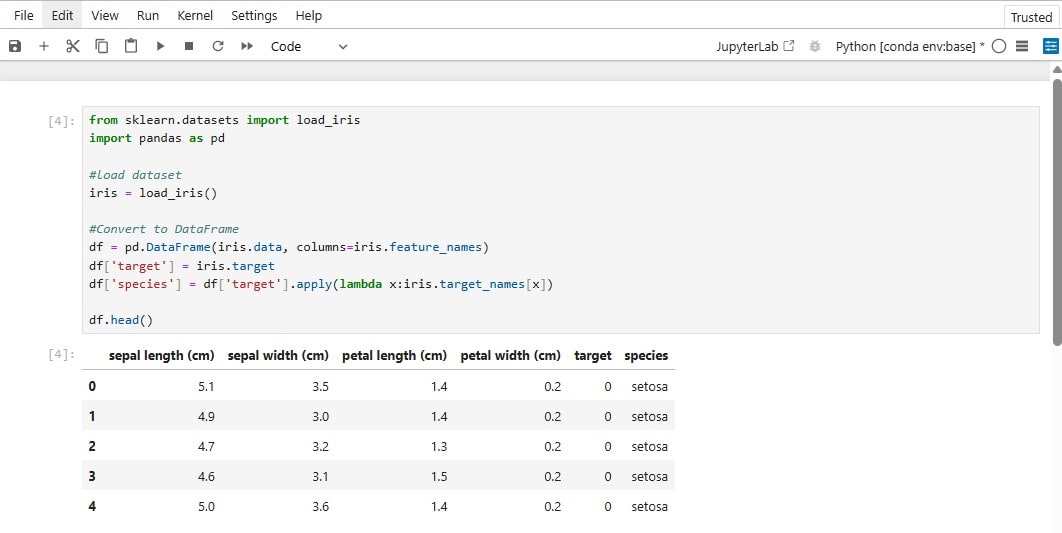
    I started off with something pretty simple but powerful: getting to know the data. I used Pandas to explore the dataset by calling .info() and .describe(). It’s amazing how much you can learn about your data just by running these two lines. I got to see the column names, data types, counts, mean, min, max—you name it. It gave me a quick snapshot of the dataset’s overall structure.

    Then I moved on to cleaning the data, which is a pretty important step before doing anything fancy. I checked for missing values and duplicates. It’s surprising how often these issues pop up, and if you don’t deal with them early, they can totally mess up your analysis later. I’m starting to understand why people say that 80% of data science is cleaning and preparing the data.

    But the real fun started when I brought in the Seaborn library.

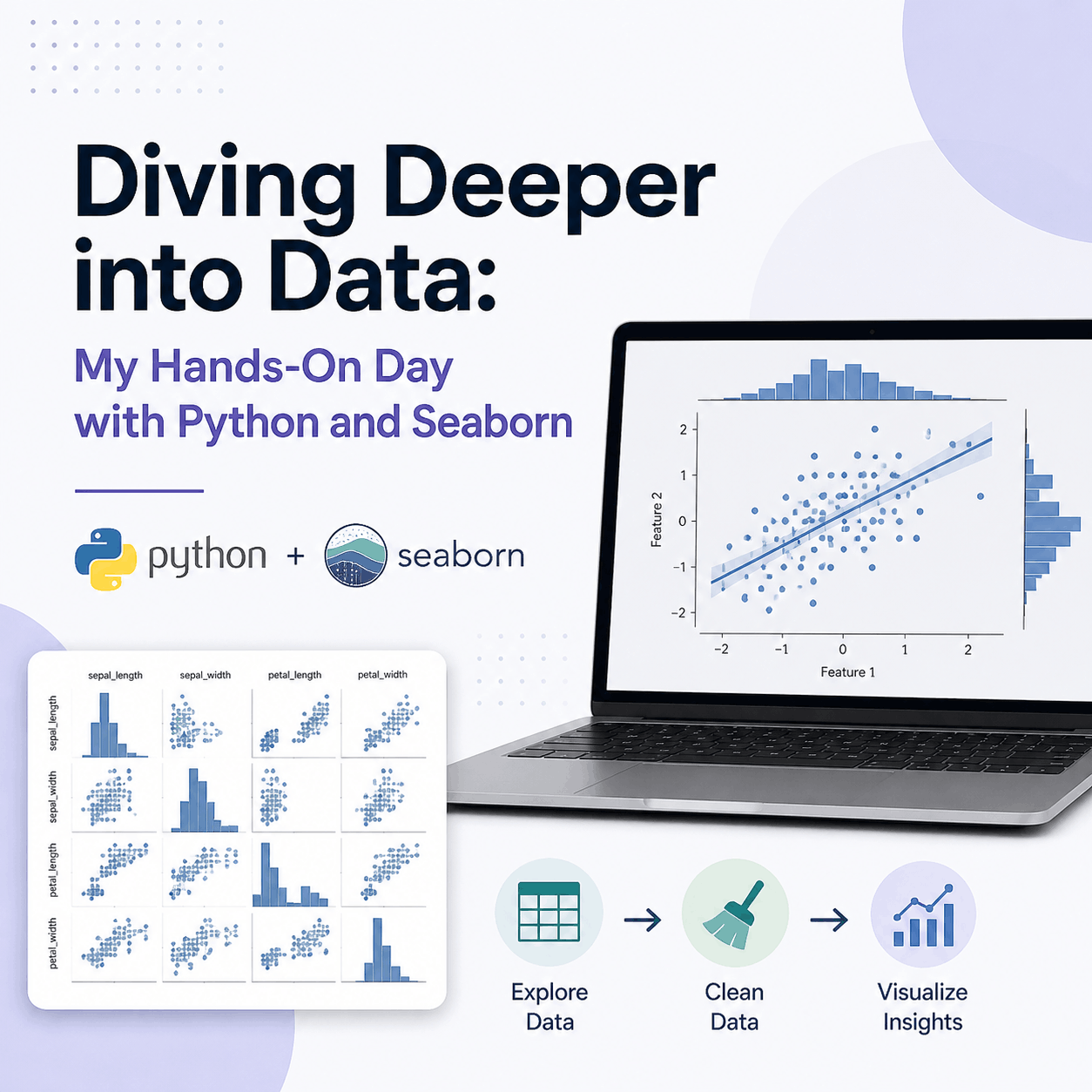
    I began experimenting with scatterplot() and pairplot(), and wow—this is where the data really came to life. Seaborn makes it super easy to build beautiful visualizations that help you actually see relationships in your data. At first, I was a bit confused about when to use scatterplot versus pairplot. But after playing around, I finally got it:

    • scatterplot() is great for focusing on two specific variables and seeing how they relate. It’s clean, direct, and good for simple comparisons.
    • pairplot() takes things up a notch by creating a grid of scatter plots for every pair of variables in the dataset. It’s super helpful when you want a big-picture view of how everything connects.

    Overall, today felt like a solid step forward. I didn’t just write code—I actually understood what I was doing and why I was doing it. The more I learn, the more excited I get about this AI journey. Can’t wait to keep going and see what’s next.

  • My First Step Into the World of AI: Learning Python for Data Science

    My First Step Into the World of AI: Learning Python for Data Science

    For over a decade, I’ve been immersed in the world of web development, building solutions and applications using PHP through frameworks like Laravel and platforms like WordPress. My day-to-day experience has been rooted in backend logic, plugin development, and creating practical web tools that solve real problems. But recently, I took a leap into something new and incredibly exciting: artificial intelligence (AI).

    This is the story of how I took my first meaningful step into the world of AI by learning Python and exploring data science, and how this transition from PHP to Python is opening up a whole new set of possibilities in my career.

    From PHP to Python: Why the Shift?

    As someone who is very comfortable with PHP, I never really saw myself needing another programming language. Laravel gave me structure and power, while WordPress offered flexibility and wide adoption. But as AI became more integrated into business tools, software platforms, and even customer experience, I realized that data and intelligent systems are becoming the heart of modern development.

    I wanted to learn how to build smarter tools, not just functional ones. That curiosity led me to Python, the go-to language for AI, machine learning, and data science.

    Learning Python: A Refreshing Experience

    Transitioning to Python wasn’t as intimidating as I initially thought. Its syntax is clean, intuitive, and less verbose than PHP. In fact, I found myself appreciating how simple yet expressive the code could be.

    I started by learning basic Python syntax and object-oriented programming concepts. Understanding variables, functions, classes, and loops felt familiar, but what truly made the learning process exciting was how quickly I could move from writing a simple script to working with data.

    Introduction to Pandas and NumPy

    One of the first things I was introduced to in my Python journey was the Pandas and NumPy libraries. Pandas is like a superpowered Excel inside Python. It allows you to manipulate data, filter rows and columns, and generate statistics with just a few lines of code. NumPy, on the other hand, provides support for numerical operations and arrays, making it ideal for scientific computing.

    With these libraries, I was able to load datasets, explore them, and understand how to perform data analysis programmatically. That was a major breakthrough moment for me. As a developer who’s spent years manually handling form data, creating reports, or integrating APIs, working with datasets so fluidly was a breath of fresh air.

    The Art of Cleaning and Optimizing Datasets

    Beyond learning syntax and libraries, I was introduced to one of the most crucial skills in data science: data cleaning and optimization. It turns out, data in the real world is often messy. There are missing values, inconsistent formats, duplicates, and other issues that can distort analysis.

    Using Pandas, I learned how to:

    • Remove or fill missing values
    • Normalize data formats
    • Eliminate duplicates
    • Apply filters and transformations

    This process of cleaning data felt like decluttering a workspace. Once the dataset was clean, running analysis or building models made more sense. It was satisfying to see a messy dataset become structured and usable with just a few smart operations.

    Coming from a PHP background, this ease of data manipulation with Python was eye-opening. In Laravel, data manipulation is often tied to database queries and Eloquent models. While powerful, it’s not always as seamless when it comes to working with large datasets outside of your application’s database.

    Why This Feels Like the Beginning of an AI Journey

    Learning Python and how to work with data is more than just acquiring another programming language. For me, it represents a shift in mindset. In web development, the focus is often on creating workflows, interfaces, and backend processes. In AI and data science, the focus is on understanding and learning from data.

    This is just the beginning, but it already feels transformative. I now understand why Python is the preferred language for AI and why libraries like Pandas and NumPy are foundational for anyone who wants to explore this space.

    What’s Next?

    My plan is to continue exploring more about data analysis, visualization, and eventually move into machine learning. With tools like Jupyter Notebooks, I’m able to write code, annotate it, and visualize data all in one place — which is an amazing way to learn and build experiments.

    I also hope to connect my new Python skills with my existing PHP expertise. Who knows? Maybe I’ll build an AI-powered plugin for WordPress, or integrate a predictive engine into a Laravel app.

    Final Thoughts

    This first step into AI has been exciting, humbling, and extremely rewarding. Python has shown me a new way of thinking about software development — one that revolves around intelligence, insights, and data-driven decision-making.

    If you’re like me, coming from a PHP-heavy background, I highly recommend giving Python and data science a try. It might just open up a whole new chapter in your development career, just like it did for me.