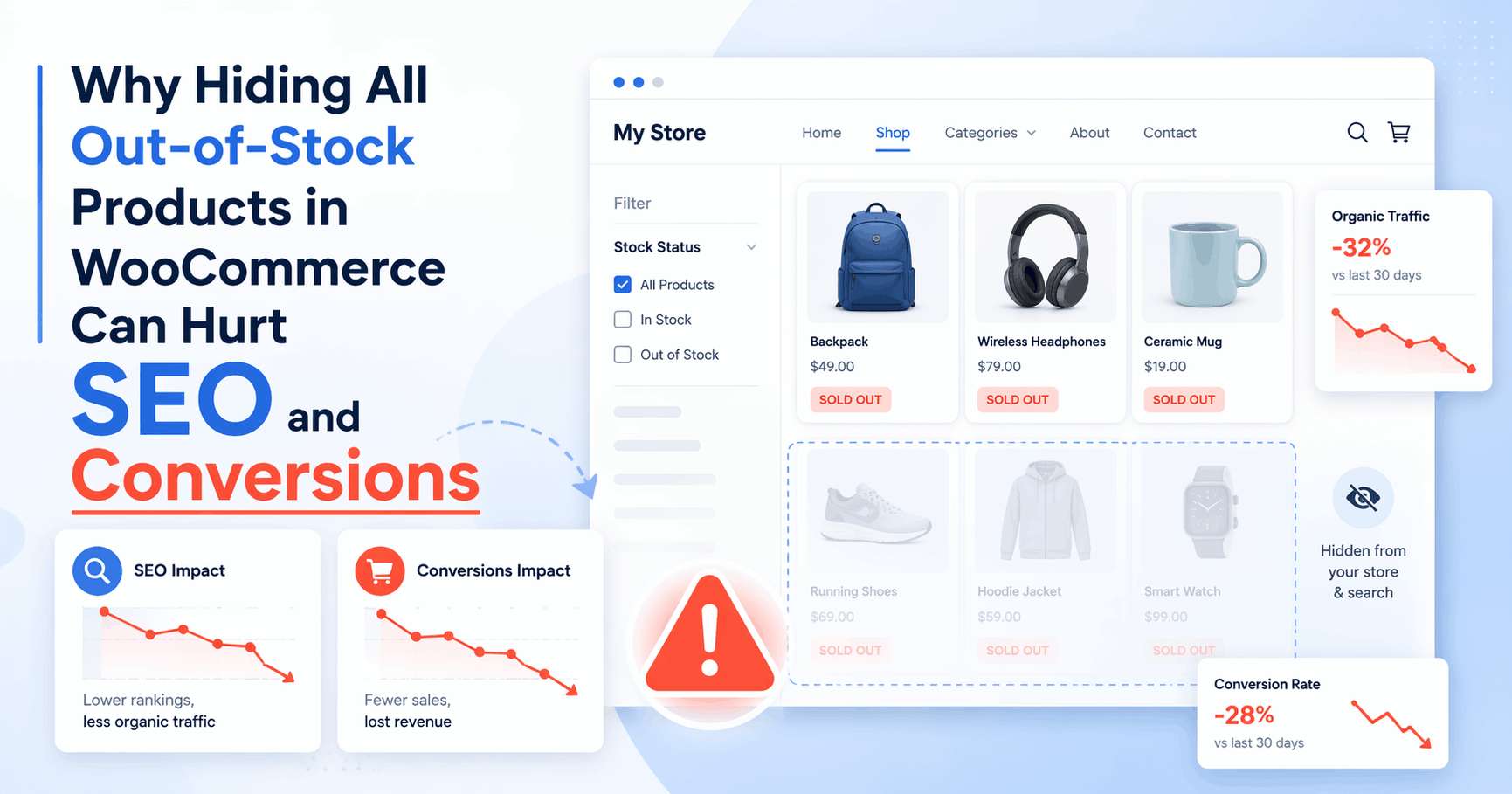
If you run a WooCommerce store, it might seem like a good idea to hide all out-of-stock products from your catalog.
At first, it feels clean and logical. If a product cannot be purchased right now, why keep showing it?
But in many cases, hiding every out-of-stock product can do more harm than good.
It can weaken your SEO, create a confusing customer experience, and reduce the chances of future conversions when those products come back in stock.
In this post, I’ll explain why hiding all sold-out products is not always the best move, when it still makes sense, and how to handle out-of-stock visibility more strategically in WooCommerce.
The default WooCommerce limitation
WooCommerce includes a built-in setting that lets you hide out-of-stock products from the catalog.
The problem is that this setting is global.
That means once you enable it, WooCommerce hides all out-of-stock products in one go. There is no built-in way to say:
- keep this product visible
- hide that one
- keep important product pages accessible
- only hide low-priority sold-out items
For some stores, that all-or-nothing behavior is too restrictive.
Not every out-of-stock product should be treated the same way.
Why hiding all out-of-stock products can be a bad idea
1. You can lose SEO value from product pages
Some product pages already have search visibility, backlinks, or historical traffic.
If those products suddenly disappear from category pages and internal navigation, you may reduce their visibility and weaken the value they bring to your store over time.
Even if the product is temporarily unavailable, the page may still be worth keeping visible because:
- it may rank in search results
- customers may still be looking for it by name
- it may have built authority over time
- it can still support internal linking and product discovery
If a product is likely to come back, hiding it completely may be an unnecessary loss.
2. Customers may think the product no longer exists
Sometimes a customer comes back looking for a product they already viewed before.
If it disappears entirely from the shop, category, or search results, that can create confusion.
They may assume the product was discontinued, removed, or replaced. In some cases, they may leave the site instead of checking back later.
Keeping selected out-of-stock products visible can help communicate:
- this item still exists
- it is temporarily unavailable
- it may return
- the store still carries this type of product
That is often better than making the product vanish completely.
3. You lose future purchase intent
An out-of-stock product is not always a dead product.
Sometimes it is:
- a best-seller waiting for restock
- a seasonal item
- a product with repeat demand
- a product customers compare before buying later
If you hide it too quickly, you remove one of the entry points customers use to discover or revisit it.
Even when a purchase cannot happen today, the product page can still help drive future sales.
4. It can hurt catalog continuity
For some stores, removing every sold-out product creates gaps in the catalog.
This is especially noticeable when you sell:
- seasonal collections
- fast-moving inventory
- niche products
- popular items that cycle in and out of stock
In these cases, keeping selected sold-out products visible can help the store feel more complete and stable.
5. Some out-of-stock products still have business value
Not every sold-out product should stay visible. But some absolutely still have value.
For example:
- products with strong SEO traffic
- products customers often ask about
- products that are temporarily unavailable
- flagship or signature products
- products you plan to restock soon
If you hide everything, you lose the flexibility to protect those important pages.
When hiding out-of-stock products does make sense
To be fair, hiding sold-out products is not always a bad idea.
There are cases where it is the right move.
For example:
- the product is permanently discontinued
- the product has no SEO value or demand
- the product creates clutter in the catalog
- the product is no longer relevant to your store
In those cases, hiding the item may improve the browsing experience.
The real issue is not that hiding products is wrong.
The issue is that hiding all of them by default is too blunt of an approach.
A better approach: selective visibility
A better strategy is to decide which out-of-stock products should remain visible and which ones should stay hidden.
That gives you more control over:
- SEO preservation
- catalog cleanliness
- customer experience
- product discoverability
Instead of asking:
“Should I hide out-of-stock products?”
the better question is:
“Which out-of-stock products are still valuable enough to remain visible?”
That is where WooCommerce’s default setting falls short.
Examples of products you may want to keep visible
Here are some cases where keeping a sold-out product visible can make sense:
Best-selling products
If customers already know and search for the product, it may still deserve visibility even while unavailable.
Seasonal items
A product may be out of stock today but return next season or on the next restock cycle.
Products with SEO value
If a page already gets traffic, hiding it from your store structure may not be the best move.
Products customers may want to reference
Sometimes buyers revisit product pages to check specs, compare options, or confirm details before buying later.
Temporarily unavailable items
If the product is expected to return soon, hiding it immediately may be unnecessary.
The problem with relying only on WooCommerce’s global setting
WooCommerce’s built-in option is simple, but it does not give enough flexibility for stores that want more control.
You either:
- show out-of-stock products
- or hide all of them
That means you cannot easily keep important sold-out products visible while hiding the rest.
For stores with a mix of low-priority and high-value products, that limitation can be frustrating.
A more practical solution
This is exactly why I built Hide or Show Out-of-Stock Products for WooCommerce.
The plugin is designed for store owners who want more control over out-of-stock product visibility without relying on custom code or WooCommerce’s all-or-nothing setting.
Instead of treating every sold-out product the same way, you can choose which products should remain visible and which ones should stay hidden.
That makes it easier to keep important pages available while still keeping your catalog clean.
If you want to see how the plugin works, you can also read my other guide:
How to Hide or Show Out-of-Stock Products in WooCommerce (Per Product Control)
That article explains the original problem in more detail and shows the plugin approach more directly.
Final thoughts
Hiding all out-of-stock products in WooCommerce may look tidy, but it is not always the smartest move.
In many stores, some sold-out products still provide value through SEO, customer discovery, product awareness, and future buying intent.
The better approach is not automatic hiding.
It is selective visibility.
If a product is temporarily unavailable but still useful to customers or important to your store, keeping it visible can be the better decision.
And if a product truly adds no value anymore, then hiding it makes sense.
The key is having control.
Want more control over which sold-out WooCommerce products stay visible?
Check out my plugin Hide or Show Out-of-Stock Products for WooCommerce on WordPress.org and manage out-of-stock visibility more selectively.
Leave a Reply